
What Is AI Salon Booking Software, Actually?
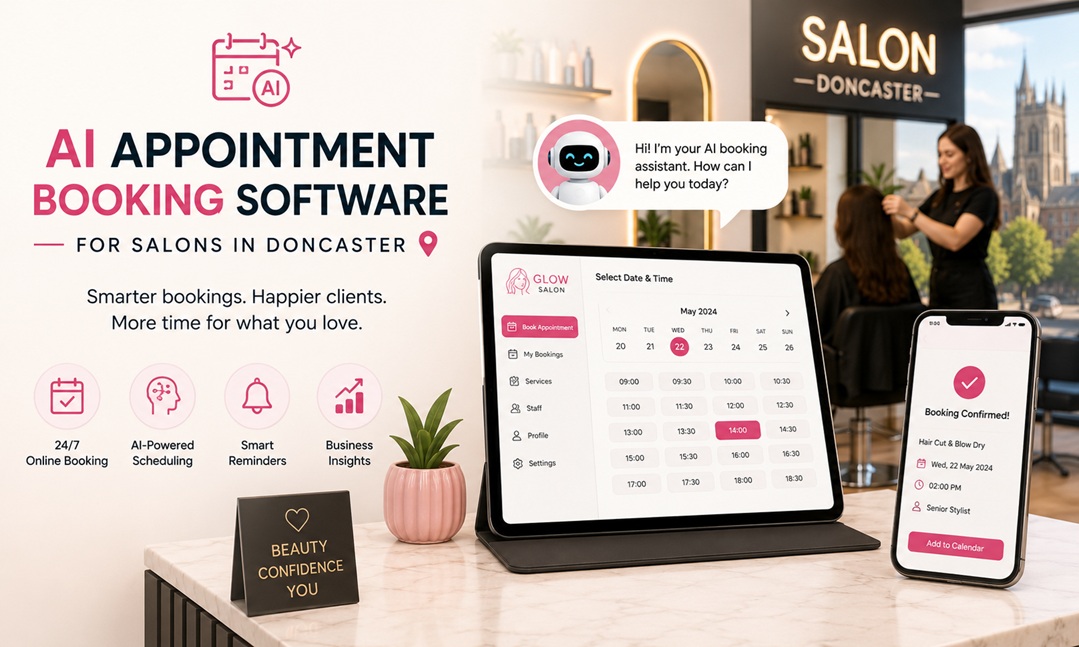
AI appointment booking software is a system that lets clients book, reschedule, and cancel appointments without calling your salon. It sends automated reminders to reduce no-shows, syncs with your calendar in real time, and — in the more advanced versions — uses data about your booking patterns to suggest optimal scheduling. For a Doncaster salon handling dozens of appointments a week, it replaces a significant amount of phone time and sticky-note management.
Most tools work through a booking link you can add to your Instagram profile, Google Business page, or website. Clients choose a service, pick a time, and receive a confirmation automatically. You see it appear in your calendar without having to do anything.
How It Works for a Typical Doncaster Salon
Automated reminders
Most AI booking platforms send SMS or email reminders to clients 24 and 48 hours before their appointment. This single feature alone tends to cut no-show rates significantly — often by 30 to 50 percent in the first few months. For smaller salons running tight schedules, that is money that would otherwise simply disappear.
24/7 booking without picking up the phone
A large portion of Doncaster clients find and book local services outside business hours — browsing Instagram in the evening, searching Google on a Sunday. If your booking link is live and connected to your live availability, those clients book themselves in. Without it, they move on to a competitor who has that capability.
Integration with where clients discover you
Most platforms allow you to add a booking button directly to your Instagram bio, Google Business profile, and Facebook page. For salons in South Yorkshire where word-of-mouth and local social media drive new clients, this integration closes the gap between discovering your business and actually making an appointment.
Common Mistakes Salon Owners Make When Switching
- Choosing on price alone — the cheapest option often lacks reminder features or requires manual calendar syncing. The time you spend managing workarounds eliminates the savings.
- Not training staff — if your staff continue taking bookings by phone and entering them manually without flagging conflicts in the software, you end up with double bookings and confusion.
- Ignoring client communication features — some platforms let you send follow-up messages, ask for reviews, and offer rebooking prompts. These features are often turned off by default and left unused.
Three Tools Worth Looking At
| Tool | Price Range (Monthly) | Best For |
| Fresha | Free (commission on payments) | Salons wanting zero upfront cost |
| Treatwell | Commission-based | Reaching new Doncaster clients via marketplace |
| Timely | From approx. £20/month | Full client management + reminders |
All three offer free trials. Fresha is genuinely free for core features, which makes it popular with independent stylists. Timely suits salons wanting more control over their data and client communications.
How to Trial a System Without Disrupting Your Existing Bookings
- Sign up for a trial without going live immediately. Set up your services and test the booking flow yourself before opening it to clients.
- Run the new system alongside your current method for two weeks. Import or manually add your existing appointments so you have a complete picture.
- Send a short message to regular clients explaining the new booking link. Most people adapt quickly if the experience is simpler than calling.
- Review no-show data after the first month. The difference usually makes the case better than any sales pitch.
Doncaster’s salon scene is competitive, and the businesses that fill chairs consistently tend to be the ones that make booking as easy as possible. The technology is mature, the costs are low, and the setup takes an afternoon.